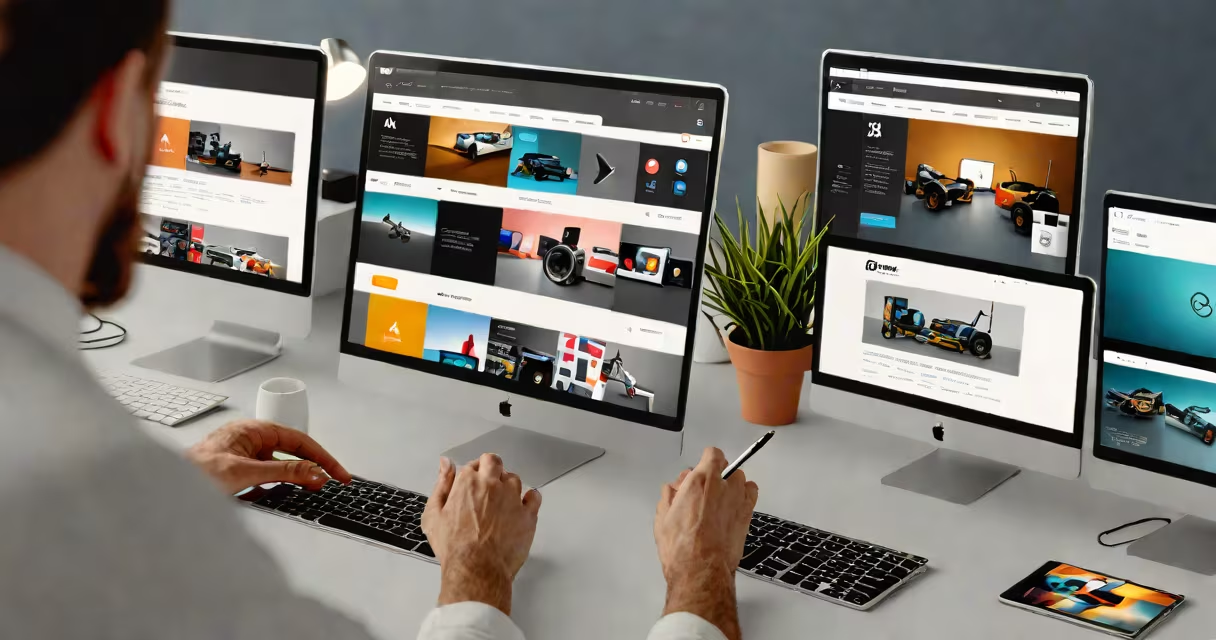
Adobe XD web design is a vector-based interface design and prototyping tool used to create, test, and hand off responsive website layouts and interactive experiences. It enables designers to build high-fidelity mockups, simulate user flows, and collaborate with developers-all within a single application.
Designed for user experience (UX) and user interface (UI) professionals, Adobe XD web design supports rapid iteration through features like auto-animate, repeat grids, and component libraries. These tools reduce repetitive tasks and ensure consistency across screens and breakpoints. For example, a designer can define a button component once and apply it across multiple pages, then update all instances globally with a single change.
Adobe XD integrates with other Creative Cloud apps such as Photoshop and Illustrator. Designers often import assets from these tools to begin wireframing or high-fidelity design. Once finalized, designs can be shared via public links for stakeholder feedback or exported as code snippets for development teams.
Designers start by setting up artboards sized to common screen resolutions-desktop (1920px width), tablet (1024px), and mobile (375px). Artboards serve as individual screens or views in a website's flow. Using vector drawing tools, they construct layouts with precise alignment, spacing, and typography.
After laying out static elements, designers enable prototyping mode. Here, they connect artboards using gesture triggers-such as tap, hover, or drag-to simulate navigation. For instance, clicking a "Sign Up" button on a homepage artboard can trigger a transition to a form screen, complete with micro-interactions like fade-ins and slide animations.
Prototypes can be tested live on devices using the Adobe XD mobile app. This allows real-time validation of usability. A designer testing a checkout flow can verify whether users intuitively proceed from product selection to payment confirmation, identifying friction points before development begins.
Adobe XD web design relies on three foundational layers: layout structure, visual design, and interactive behavior. Each layer builds upon the last to produce a functional, testable interface.
| Type | Description | Use Case Example |
|---|---|---|
| Wireframe | Low-detail schematic showing layout and placement of elements without color or imagery. | Mapping navigation structure for a nonprofit's donation portal. |
| High-Fidelity Mockup | Finalized visual representation with brand colors, fonts, icons, and realistic imagery. | Creating a polished landing page for a SaaS product launch. |
| Interactive Prototype | Simulated user process with clickable transitions and animations. | Testing a multi-step onboarding sequence for a fitness tracking app. |
Components and states are central to scalability. A "Login Button" component can have default, hover, and pressed states. When applied across multiple screens, changes to the default state automatically propagate everywhere the component is used. This prevents inconsistencies and reduces revision time.
Repeat grids allow designers to generate changing content layouts-like product listings or blog cards-without manually duplicating each element. By defining a base card and enabling repeat grid mode, a designer can populate 50 items with a single drag-and-drop action.
Adobe XD web design is widely adopted in digital agencies, startup product teams, and enterprise UX departments. Its integration with Figma and Sketch workflows makes it suitable for cross-team collaboration, especially when teams use both tools.
For small businesses and freelancers, Adobe XD offers a cost-effective alternative to enterprise-grade tools. A solo designer building a portfolio site can create a responsive layout with mobile-first breakpoints, export assets at 1x, 2x, and 3x resolution, and share a prototype link with clients for feedback-all within 90 minutes.
Enterprise organizations use Adobe XD web design for large-scale redesigns. For example, a financial institution updating its online banking portal used Adobe XD to map over 200 user journeys across account management, loan applications, and customer support. Teams validated flows with real users before engineering began, reducing post-launch bug reports by 40%, according to a 2023 Adobe case study.
Adobe XD web design is not a full-stack development environment. It cannot render changing content from databases or handle server-side logic. It simulates interactions but does not execute code. Misunderstanding this leads to unrealistic expectations during handoff.
Another misconception is that Adobe XD replaces the need for user testing. While prototypes allow early validation, they lack real-world behavioral data. A 2022 study by NN/g found that simulated prototypes missed 37% of usability issues compared to testing with actual users. Adobe XD should be one step in a larger research process-not the endpoint.
A non-obvious fact: Adobe XD's auto-animate feature uses interpolation between two artboards based on matching shapes and positions. If a button moves from the center to the top-right corner, Adobe XD calculates intermediate frames automatically. But if the starting and ending shapes differ -say, a circle becoming a square-the animation may appear jittery unless designers manually adjust anchor points.
I once built a travel booking site prototype where a flight search result list animated into a detail view. The initial version had overlapping elements due to inconsistent padding across artboards. After aligning all constraints and using consistent spacing values, the transition became smooth. This taught me that precision in layout setup directly impacts prototype quality.
For teams managing complex websites, Adobe XD web design supports integration with external tools. A design team at a healthcare provider used Adobe XD to create patient portal screens, then exported symbols and styles to a shared design system. Developers pulled these into their React components using a plugin called "XD to Code." This reduced dev time by 30% compared to previous manual implementations.
When designing for scale, consider using shared libraries. These store reusable components across multiple files. A design firm building a set of client websites can maintain a single library of buttons, forms, and navigation bars. Changes to the library update all linked projects automatically-a critical feature for maintaining brand consistency.
Enterprises handling regulated content-such as medical devices or financial services-often require audit trails. Adobe XD's cloud document history tracks edits over time. This helps meet compliance standards like HIPAA or GDPR when documenting design decisions.
Adobe XD web design is not limited to websites. It's used for mobile apps, kiosks, and even smartwatch interfaces. The core principles-layout, interaction, responsiveness-apply across platforms. A designer building a retail app can reuse the same component library for both web and mobile versions, ensuring consistency.
Adobe XD web design is a focused tool for crafting digital experiences. It excels at visual fidelity, rapid prototyping, and developer handoff. It doesn't replace research, coding, or accessibility testing-but it provides the foundation for all three.