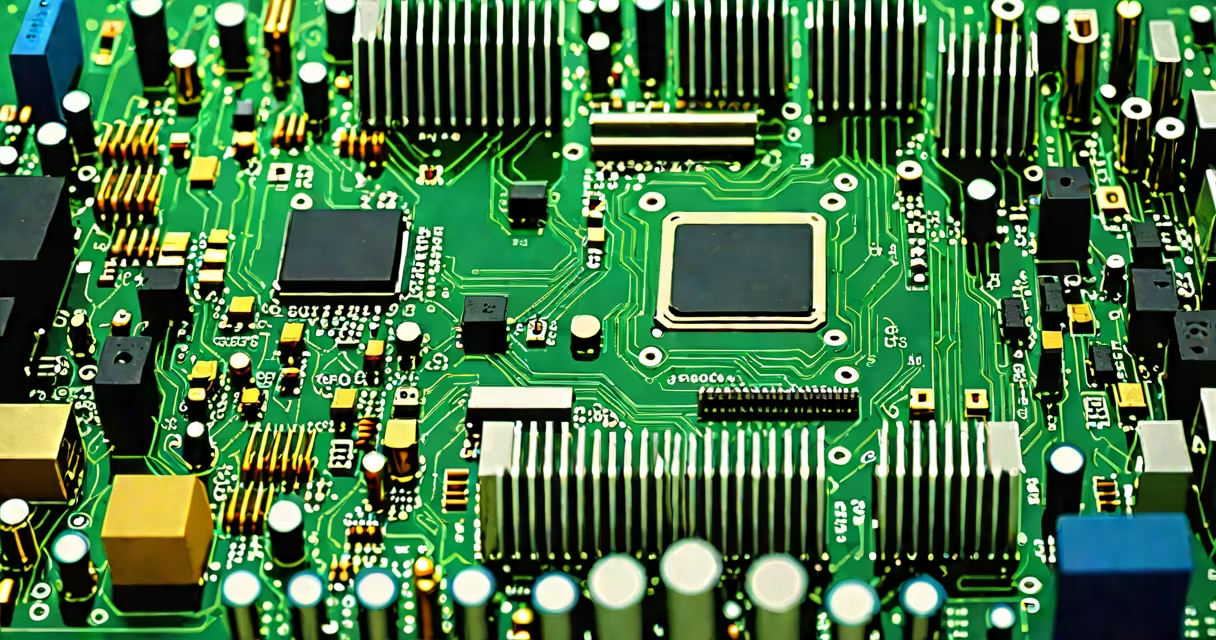
The computer motherboard is the central printed circuit board that connects and enables communication between all major components in a desktop system, including the CPU, RAM, storage drives, and graphics card. It provides power distribution, data routing, and physical mounting points for essential hardware.
Every desktop computer relies on the motherboard to coordinate operations. Without it, individual parts cannot interact. The motherboard acts as the nervous system of the machine, managing signals, power delivery, and data flow between devices.
The motherboard manages three primary tasks: power regulation, signal routing, and component interconnection. Voltage regulators stabilize power delivered to the CPU and RAM. Data buses like PCIe and SATA carry information between the processor and peripherals. Physical connectors-such as DIMM slots for memory and M.2 sockets for NVMe SSDs-provide mechanical and electrical interfaces.
For example, when you launch a game, the GPU receives instructions through a PCIe x16 slot. The motherboard routes the command from the CPU via the chipset, then sends it to the graphics card. This process happens in microseconds and requires precise timing and voltage control.
Modern motherboards use a chipset (like Intel's Z790 or AMD's B650) to manage I/O functions. The chipset handles USB ports, audio, network connectivity, and SATA connections. It communicates with the CPU through a high-speed link called DMI (Direct Media Interface), which ensures low-latency data transfer.
Each section of the motherboard serves a distinct purpose. Here's a breakdown of key parts:
| Component | Function | Typical Location | Example Use Case |
|---|---|---|---|
| CPU Socket | Mounts and powers the central processing unit | Center of the board | Intel LGA 1700 or AMD AM5 sockets support specific CPUs |
| DIMM Slots | Accepts RAM modules for system memory | Adjacent to CPU socket | Two or four slots allow dual-channel memory operation |
| PCIe Slots | Enables high-speed expansion cards like GPUs and NVMe SSDs | Longer slots near the edge | PCIe x16 supports modern graphics cards |
| M.2 Socket | Hosts ultra-fast NVMe SSDs using a compact form factor | Along the edge or near the CPU | Gen4 M.2 drives achieve speeds over 5,000 MB/s |
| Power Connectors | Delivers 12V and 3.3V power from the PSU | Top center and lower edge | 24-pin ATX and 8-pin EPS connectors supply core system power |
Some motherboards include additional features such as onboard Wi-Fi, Bluetooth, and RGB headers. These are integrated into the board but do not affect core functionality. For example, a motherboard with built-in Wi-Fi 6E supports faster wireless networking without requiring a separate adapter.
Many users assume that motherboard size determines performance. That's false. A mini-ITX board performs the same functions as a full ATX board-just in a smaller footprint. Performance depends on the chipset, VRMs, and supported CPU generation, not board size.
Another misconception is that all motherboards support overclocking. Only those with "Z" series chipsets (Intel) or "X" series (AMD) offer this feature. For example, an Intel Z790 motherboard allows CPU and memory overclocking, while a B760 model does not.
A lesser-known fact: the CMOS battery (a small coin cell) maintains BIOS settings and real-time clock data when the system is off. If it dies, the system may lose time, require manual BIOS setup, or fail to boot. Replacing it takes less than five minutes and costs under $5.
When building a gaming rig with an AMD Ryzen 7 7700X and NVIDIA RTX 4070, the motherboard must support AM5 socket, DDR5 RAM, PCIe 5.0 x16, and M.2 NVMe. A motherboard like the ASUS ROG Strix B650-E Gaming features these specs.
During assembly, the CPU is seated into the AM5 socket. The RAM is inserted into the DIMM slots-two sticks in slots 1 and 3 for dual-channel mode. The NVMe SSD goes into the M.2 slot, and the GPU plugs into the PCIe x16 slot. Power is supplied via the 24-pin ATX and 8-pin EPS connectors.
After powering on, the system boots from the SSD. The BIOS detects all components correctly. If the RAM doesn't initialize, checking the motherboard manual reveals that the DIMM slots must be filled in a specific order-slot 1 and 3, not 1 and 2. This detail is often missed during first builds.
Not all motherboards are equal. Form factors define size and compatibility. Common sizes include ATX (305mm x 244mm), microATX (244mm x 244mm), and mini-ITX (170mm x 170mm). Larger boards offer more expansion slots and better cooling, but they don't run faster than smaller ones.
Chipset selection matters more. An AMD B650 chipset supports PCIe 5.0 and DDR5, while a B550 only supports PCIe 4.0. Upgrading from B550 to B650 gives a noticeable boost in bandwidth for future GPUs and SSDs.
When choosing a motherboard, match the socket to your CPU. Using an AM5 CPU on an older AM4 board fails because the pin layouts differ. The motherboard in a computer must align with the CPU's socket type and supported features.
As a builder, I once assembled a workstation with a custom water-cooled CPU and multiple GPUs. The motherboard had six PCIe slots and advanced VRM phases. After testing, I confirmed that the board handled sustained loads without thermal throttling-something not guaranteed on budget models.
Understanding computer motherboard parts and functions is essential for building, maintaining, or upgrading a PC. Each component plays a measurable role in system stability, speed, and longevity. Knowing how they work together prevents costly mistakes and ensures optimal performance.